

This comparison is built from live pricing pages for both tools, checked this month, along with verified G2, Capterra, and Trustpilot review data. Where sources disagreed, the vendor’s own pricing page was treated as the source of truth.
Quick Verdict (For Fast Decision Makers)

Beautiful.ai is the better pick for teams that want on-brand decks and predictable monthly billing. Gamma is the better pick for speed, multi-format output, and testing AI slide generation without committing money upfront.
- Best overall: Beautiful.ai, for teams that need repeatable, on-brand decks
- Best for individuals: Beautiful.ai Pro, since it has no credit ceiling
- Best for teams: Beautiful.ai past 10 seats through its flat-rate plans; Gamma Team for smaller teams that also need docs and web pages
- Key differentiator: Beautiful.ai automates design rules with unlimited AI generation. Gamma is faster and more flexible, but it runs on a credit system, and its PowerPoint exports are the most-cited weak point across every review site checked.
Beautiful.ai vs Gamma: What’s the Real Difference?

Both tools remove the blank-page problem, but they solve it in opposite ways.
Beautiful.ai is a slide-only tool. Every layout runs through its Smart Slides engine, which locks spacing, alignment, and typography to a set of design rules. You can’t drag an element wherever you want. In exchange, you get a deck that looks professional even if you’ve never opened a design tool before.
Gamma takes the opposite approach. Instead of one fixed layout system, it generates a flexible, scrollable “card” format from a prompt, an outline, or an uploaded document. The same engine can also turn that input into a document or a simple website. It’s faster to a first draft, but the freeform format doesn’t map cleanly onto a fixed 16:9 slide when you need to export it.
Beautiful.ai trades flexibility for guaranteed polish. Gamma trades polish for speed and format range.
Feature Comparison That Actually Matters

| Category | Winner | Why |
|---|---|---|
| Design quality | Beautiful.ai | Smart Slides auto-correct spacing and alignment, so output stays clean without manual fixes |
| AI capabilities | Gamma | Its AI agent can restyle or rewrite an entire deck from one instruction |
| Integrations and exports | Beautiful.ai | Native Slack, Dropbox, Monday.com, and PowerPoint integrations, plus more reliable exports |
| Ease of use | Tie | Beautiful.ai leans on guided templates, Gamma leans on prompt-first generation |
| Collaboration | Gamma | Real-time multi-user editing with comments and presence indicators |
| Automation | Gamma | One-shot generation across decks, docs, and web pages from a single input |
| Platform support | Tie | Both are browser-first, with mobile apps and offline export options |
Design quality and output polish
Beautiful.ai wins here without much argument. Add a fourth bullet to a three-item list and the layout resizes itself instantly. Non-designers can produce clean, professional slides on the first try.
AI capabilities
Gamma pulls ahead on raw AI power. Its agent can take a plain-language instruction like “make this deck more concise” and apply it across every card at once. Beautiful.ai has no equivalent whole-deck rewrite feature; its AI handles content generation and image suggestions, but each slide still gets edited on its own.
Integrations and exports
This is where Gamma’s biggest weakness shows up. Independent testing found text shifting on roughly 4 out of 10 slides after a PowerPoint export, along with cards flattening into static images and animations disappearing entirely. Beautiful.ai’s PPTX export isn’t flawless either; some users report fixing box borders or fonts after exporting, but it’s a smaller cleanup job than what Gamma users describe.
Ease of use
Both tools have a short learning curve, just different starting points. Beautiful.ai has you pick a template and fill it in. Gamma has you type a prompt and generate a full draft. Neither requires design training.
Collaboration
Gamma’s real-time editing, presence indicators, and comments feel closer to Google Docs. Beautiful.ai offers live collaboration too, but its strength leans more toward shared brand libraries and locked templates than free-flowing co-editing.
Automation and platform support
Gamma automates across formats: one prompt can become a deck, a document, and a web page. Beautiful.ai automates within a format, keeping a deck visually uniform no matter how much content gets added or how many people touch it. Platform support is a tie. Both run in-browser with mobile apps and offline export.
Pricing Breakdown (Hidden Costs Included)
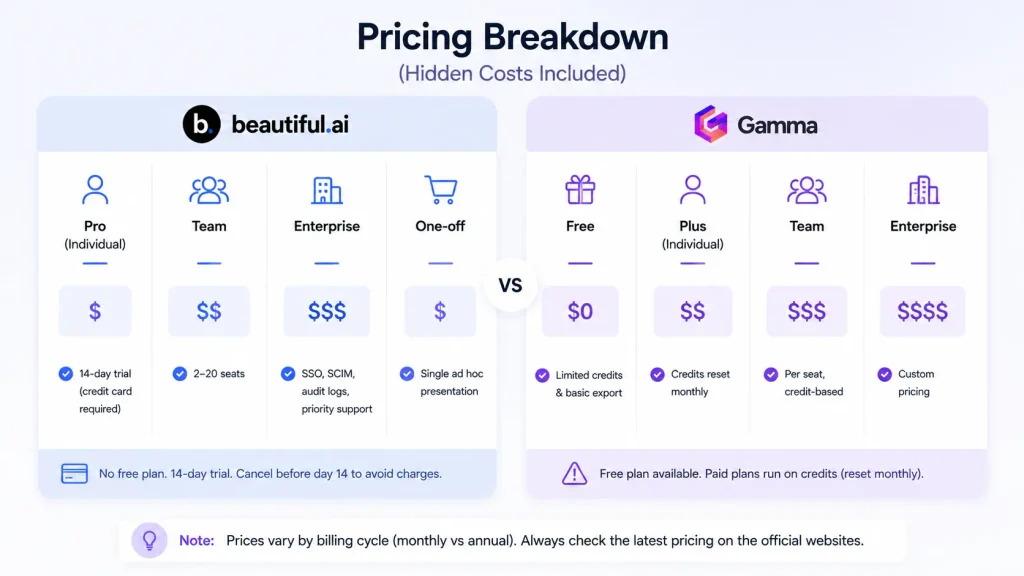
Beautiful.ai pricing, what you really get
There’s no free plan. Every signup path runs through a 14-day trial that requires a credit card and charges you in full if you don’t cancel before day 14.
- Pro (Individual): $14.50/month, billed annually. Many third-party sites still quote the older $12/month figure — use the live rate.
- Team: 2 to 20 seats, $40/user/month billed annually or $50/user/month billed monthly
- Enterprise: custom pricing. Adds SSO, SCIM provisioning, audit logs, and priority support, none of which exist on Pro or Team.
- One-off: $45 for a single ad hoc presentation
- Refunds: annual plans get a 24-hour window from purchase or renewal. Monthly plans are non-refundable. All refunds carry a processing fee.
- Students get a free year with a valid .edu email.
Gamma pricing, what you really get
- Free: no card required, 400 one-time signup credits that don’t refill monthly. More credits only come through referrals, capped at 2,000 total.
- Plus: roughly $8 to $9/user/month billed annually. Removes Gamma branding and raises the per-prompt slide limit.
- Pro: roughly $18/user/month billed annually, Gamma’s own top-selling tier. Adds premium AI models, API access, and custom domains.
- Ultra: roughly $90/user/month billed annually, for the highest usage tier and most advanced models.
- Team and Business: seat-based, annual billing required.
- Refunds: policy tightened in December 2025. Refunds now apply only within the first 3 days of subscribing, and only if usage stays below a small credit threshold. No refunds after that, including on annual plans.
Which tool offers better value?
For individuals generating a high volume of decks, Beautiful.ai Pro’s flat rate beats tracking a credit balance. For light, occasional use, Gamma’s Plus tier costs less month to month. Small teams that also need docs and web pages get more out of Gamma Team. Larger teams, 10 people or more, come out ahead on Beautiful.ai’s flat-rate plans.
Real User Experience (Pros and Cons)

Beautiful.ai pros and cons
Pros:
- Fast, consistent output with almost no learning curve
- Real time savings on recurring formats like sales and training decks
- Solid native integrations with Slack, Dropbox, and PowerPoint
Cons:
- Rigid layout system — you can’t freely move elements outside the Smart Slide structure
- Steep price jump from Pro to Team, close to three times the per-seat cost
- Billing and trial-cancellation complaints, including users charged in full after missing a cancellation deadline by a day
Gamma pros and cons
Pros:
- Fastest path from a prompt to a usable draft
- A useful AI agent for whole-deck edits and restyling
- Share-link analytics that show viewer engagement per card
Cons:
- Unreliable PowerPoint export, the most-repeated complaint across independent reviews
- Templates start feeling repetitive after several decks
- The AI can fabricate dates, numbers, and facts, so anything client-facing needs a manual check
- A strict refund policy that leaves little room for a mistaken purchase
When You Should Choose Beautiful.ai?

- You build the same type of deck repeatedly and need guaranteed consistency
- You’re a solo consultant producing client-facing decks regularly
- You want unlimited AI generation without tracking a credit balance
- You need built-in viewer analytics for sales follow-up
- Brand uniformity across multiple contributors matters more than creative freedom
- Your team has 10 or more people, where flat-rate pricing beats per-seat costs
When You Should Choose Gamma?

- You need a deck, a one-pager, and a web page from the same source content
- Speed to a first draft matters more than final polish
- Your output stays in-browser or gets shared as a link, not handed off as a file
- You want an AI agent that can rewrite an entire deck on command
- You’re producing a high volume of lightweight content
- You want to test AI slide generation without entering a card upfront
When Neither Tool Is the Right Choice?
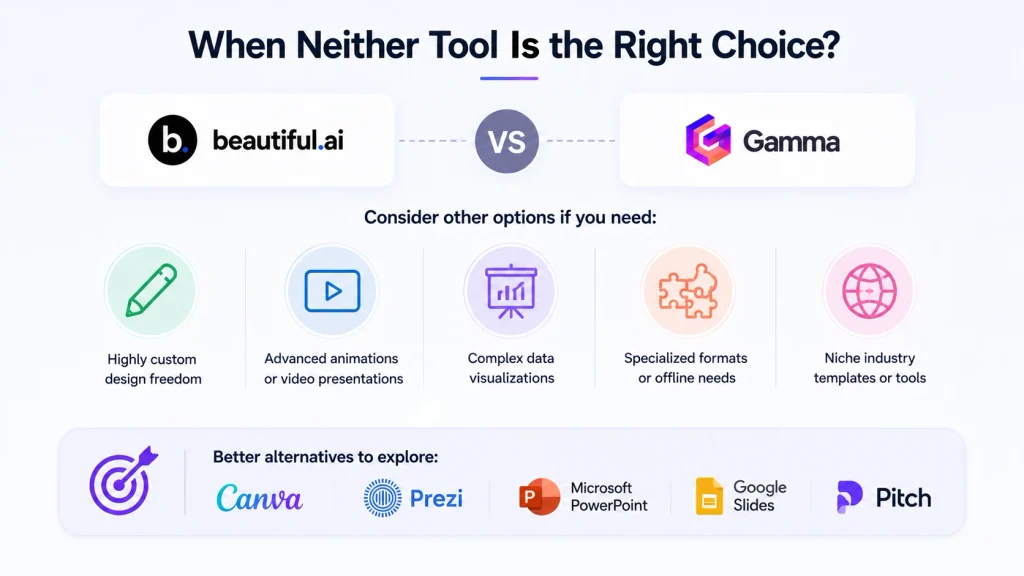
If your work is compliance-heavy or brand-locked enterprise output that needs pixel-perfect PowerPoint fidelity, both tools will cause more cleanup than they save. If you need a permanently free plan with no card and no credit ceiling, neither one qualifies — look elsewhere for that.
Hidden Limitations Most Blogs Ignore
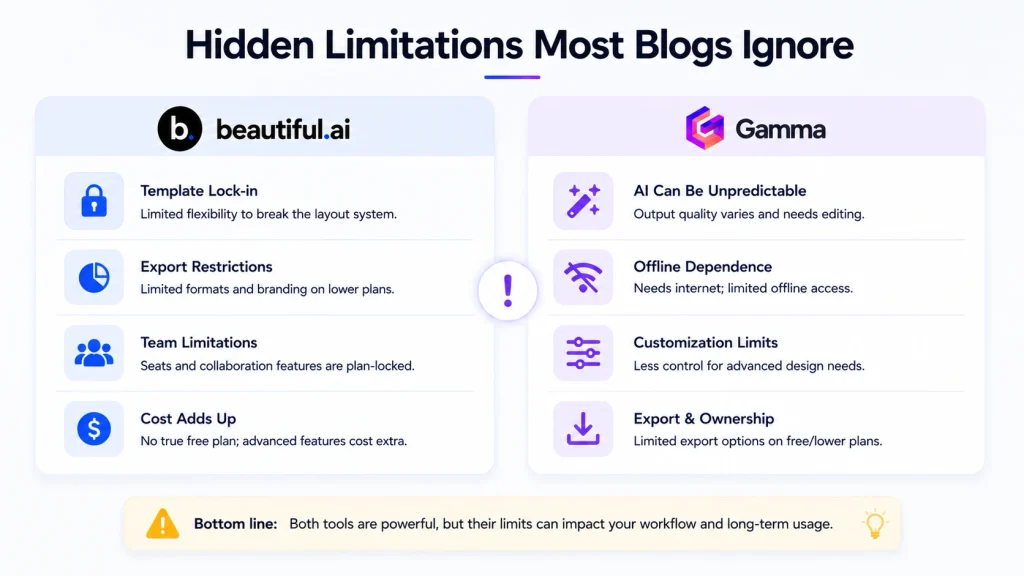
- Beautiful.ai has no free plan, only a card-gated 14-day trial, despite what some third-party listings imply
- Gamma’s 400 free credits are one-time, not monthly, even though the free tier reads like an ongoing plan
- Gamma’s refund policy tightened sharply in December 2025; annual subscribers now get almost no protection past the first 3 days
- Gamma’s AI can hallucinate dates and figures, so any external-facing deck needs a fact-check pass
- Beautiful.ai’s AI-generated images often miss the context of the slide and get manually swapped out
Frequently Asked Questions
Is Beautiful.ai or Gamma better for beginners?
Both have a short learning curve. Beautiful.ai guides you through templates step by step, while Gamma generates a full draft from a prompt. Beginners who want more structure tend to prefer Beautiful.ai.
Does Beautiful.ai have a free plan?
No. Every signup path runs through a 14-day trial that requires a credit card and charges automatically if you don’t cancel in time.
Why does Gamma’s PowerPoint export look different from the original deck?
Gamma’s card-based format doesn’t map cleanly onto fixed 16:9 slides. Exports commonly flatten custom layouts into static images, substitute fonts, and drop animations.
Can I switch from Gamma to Beautiful.ai without losing my content?
You can export a Gamma deck to PowerPoint or PDF and rebuild it in Beautiful.ai, but expect to manually recreate layouts, since the two tools don’t share a compatible format.
Which is better for teams, Beautiful.ai or Gamma?
It depends on size. Beautiful.ai’s flat-rate SMB plans cost less past 10 seats. Gamma Team suits smaller teams that also need documents and web pages from the same tool.
Does Gamma’s AI ever get facts wrong in generated slides?
Yes. Reviewers have documented Gamma generating incorrect dates and figures in AI-written content, so any deck meant for external use needs a manual review.
What do real users say about Beautiful.ai vs Gamma on Reddit and G2?
Beautiful.ai scores higher overall on G2, but both tools show a wide gap between their G2 ratings and their Trustpilot ratings, which tend to reflect billing and support complaints more than product quality.
What is Gamma’s refund policy in 2026?
As of December 2025, Gamma only refunds within the first 3 days of subscribing, and only if usage stays under a small credit threshold. After that window, there are no refunds, including on annual plans.
Final Verdict: Which One Should You Choose?
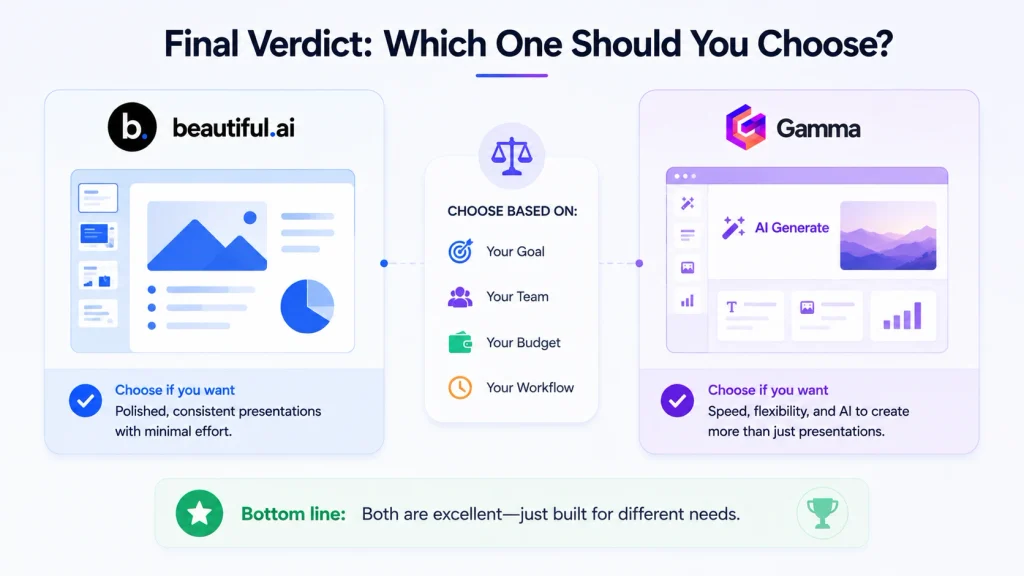
Choose Beautiful.ai for brand-locked, repeatable decks with predictable billing. Choose Gamma for fast drafts across decks, documents, and web pages, if you’re comfortable managing a credit budget.
- Best overall: Beautiful.ai
- Best for individuals: Beautiful.ai Pro
- Best for teams: Beautiful.ai past 10 seats, Gamma for smaller multi-format teams
The 14-day Beautiful.ai trial gives full access to test it against your own deck before you commit.







[…] Must Read: Beautiful.ai vs Gamma: Which AI Presentation Tool Actually Wins? […]
[…] Also Read: Beautiful.ai vs Gamma: Which AI Presentation Tool Actually Wins? […]