Summary
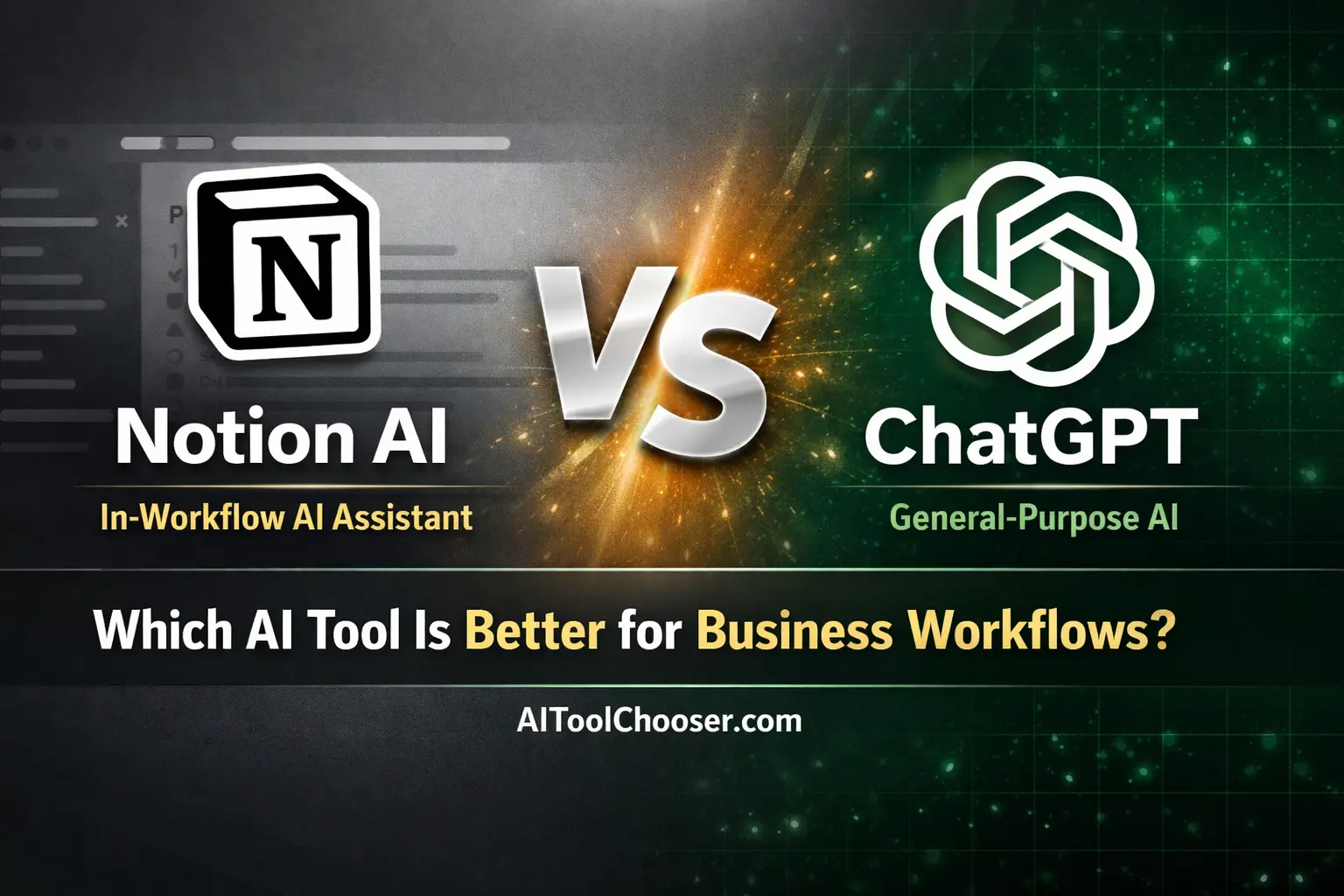
Notion AI is best for teams and individuals seeking to streamline tasks and manage information directly within their existing documents, projects, and wikis. ChatGPT is the superior choice for professionals needing a flexible tool for in-depth research, complex problem-solving, and generating diverse content formats from a blank slate. For structured, in-workflow assistance, choose Notion AI; for broad, conversational reasoning, choose ChatGPT.
Disclosure: This article contains affiliate links. If you purchase through them, we may earn a commission at no extra cost to you.
Quick Verdict
- Choose Notion AI if… you are already embedded in the Notion ecosystem and need an AI assistant to summarize, organize, and act upon information within your workspace.
- Choose ChatGPT if… your work requires creative ideation, market research, complex analysis, or drafting content that doesn’t live inside a single project management tool.
- Use both if… you are an agency, marketer, or consultant who needs a general-purpose reasoning engine (ChatGPT) and a context-aware assistant for internal documentation and project execution (Notion AI).
- Avoid both if… your team has no established documentation process or your tasks are too simple to justify a subscription AI tool.
Notion AI vs ChatGPT Comparison Table
| Feature | Notion AI | ChatGPT |
|---|---|---|
| Primary Role | Workflow-native AI Assistant | General-purpose Reasoning AI |
| Ideal User Type | Teams using Notion, operations managers, product managers | Marketers, writers, freelancers, consultants |
| Context Source | Your specific Notion pages & databases | The current conversation thread |
| Writing Quality | Excels at summaries, rewrites, and structured outputs | Stronger for long-form, creative, and nuanced text |
| Reasoning Depth | Limited to the provided text context | Capable of complex, multi-step logical reasoning |
| Workflow Integration | Deeply integrated into the Notion workspace | External to workflows; requires copy-pasting |
| Team Collaboration | Seamlessly shared and used within a team’s Notion | Limited; requires sharing chat links or outputs |
| Customization | Custom autofill database properties, custom prompts | Custom instructions and specialized GPT models |
| Pricing Model | Per-user add-on to a Notion subscription | Per-user subscription with a free tier |
| Best Value Use Case | Automating tasks within an existing Notion setup | Standalone brainstorming and content creation |
Core Difference — Workflow AI vs Reasoning AI
Understanding the fundamental difference between Notion AI and ChatGPT is the key to making the right choice. This isn’t a direct “AI vs. AI” battle; it’s about choosing the right tool for the right layer of your work.
Notion AI operates as a workflow-native AI assistant. Its intelligence is embedded directly where your work happens: inside your documents, project trackers, meeting notes, and team wikis. It excels at tasks that require context from the page you’re on. Think of it as a highly efficient assistant that can read a document and instantly summarize it, extract action items, or translate its contents. Its purpose is to reduce friction and automate steps within an established workflow.
ChatGPT, in contrast, is a general-purpose reasoning AI. It functions like a brilliant, conversational partner in a separate window. Its strength lies in its ability to tackle open-ended problems, brainstorm from scratch, conduct research, and synthesize information from a wide range of sources. You bring problems to ChatGPT for planning, ideation, and deep analysis. It helps you figure out what to do and how to do it, but it doesn’t live inside the tools where you execute the work.
For a business workflow, this distinction is critical. You use Notion AI to streamline tasks inside your operational hub. You use ChatGPT to develop the strategies and content that you will later manage within that hub. One optimizes execution, the other enhances ideation.
Content & Output Quality Comparison
The quality of AI-generated content is measured by how much time it saves you in editing. A tool that produces a perfect first draft is more valuable than one that just gives you a starting point.
Notion AI Output Quality
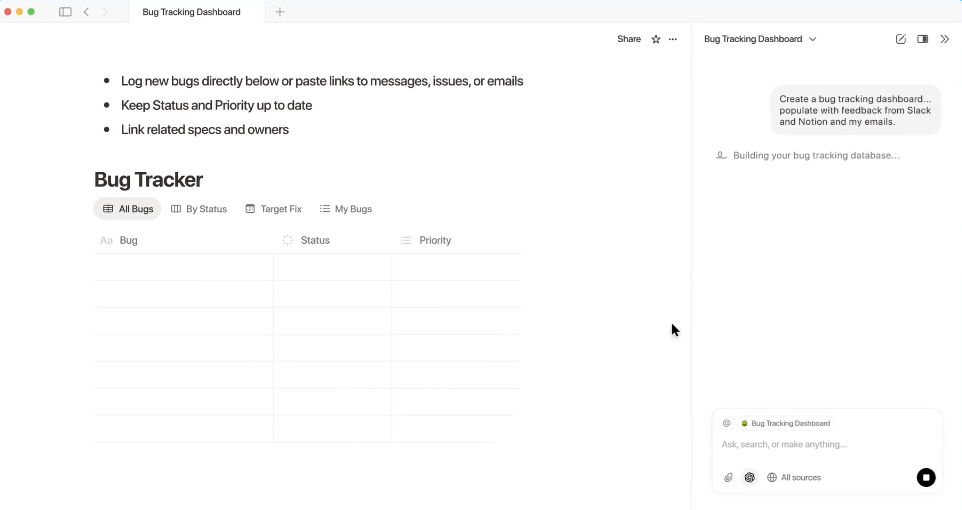
Notion AI’s strengths are directly tied to its role as a workflow assistant. It produces its best results when asked to work with existing text.
- Summaries: It creates clear, concise summaries of long documents, meeting notes, or research pages. This saves significant time for team members who need to catch up on a project quickly.
- Rewrites: Notion AI is effective at changing the tone of a paragraph, simplifying complex language, or fixing spelling and grammar. This reduces minor editing cycles.
- Action Items: One of its most valuable functions is extracting action items from meeting minutes or project briefs. This directly translates discussion into trackable tasks, improving accountability.
Its limitations appear when you ask it to create net-new content from a minimal prompt. The output can be generic and lacks the depth seen from more advanced models. It is not designed for creating a final draft of a blog post or a detailed marketing plan from scratch.
ChatGPT Output Quality
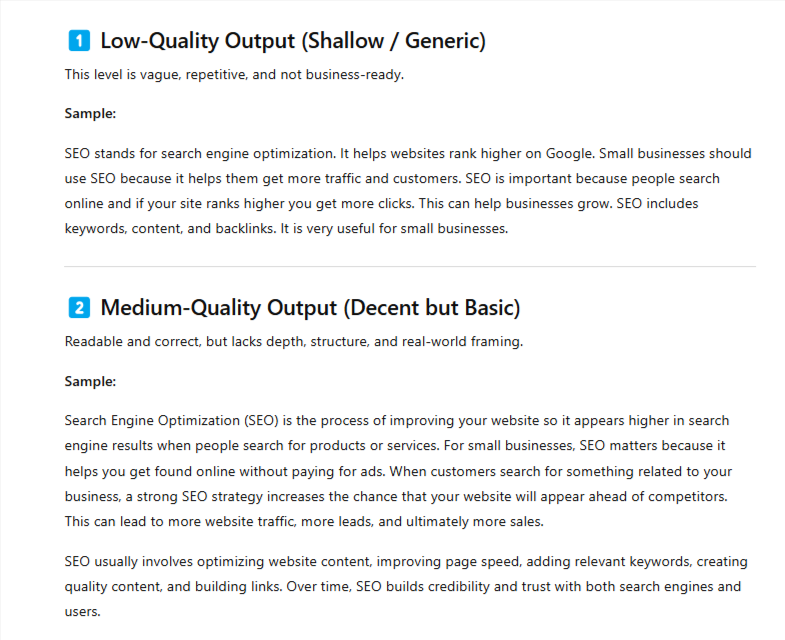
ChatGPT is built for content generation and complex reasoning. For business users, this translates to faster creation of high-quality, long-form content.
- Long-Form Writing: It can produce well-structured drafts of articles, reports, emails, and marketing copy. The output is more nuanced and requires less structural editing than Notion AI’s. For a marketer drafting a new campaign, this can cut creation time by more than half.
- Reasoning and Explanations: ChatGPT excels at explaining complex topics, outlining strategic plans, and role-playing customer scenarios. This makes it an invaluable partner for planning and analysis, moving beyond simple text generation.
The main limitation is its lack of direct workspace context. The output is high-quality, but it’s created in a vacuum. You must manually provide all relevant context and then copy the final result into your project management system, website CMS, or other tools. The time saved in writing is sometimes offset by the time spent on manual integration.
Context, Memory & Knowledge Access
An AI tool’s usefulness depends on what it knows. The source of its “knowledge”—its context—defines the problems it can solve.
Notion AI’s context is your workspace. When you invoke it on a page, it can access the information on that page. With the Q&A feature, it can search across your entire Notion workspace to find answers, link to relevant documents, and synthesize information from multiple sources. This is incredibly useful for internal knowledge management. A new team member can ask, “What is our Q1 marketing strategy?” and Notion AI can find the planning document, summarize it, and provide a link.
ChatGPT’s context is the conversation. Its memory is limited to the current chat thread. It remembers what you discussed earlier in the conversation, allowing you to refine ideas iteratively. However, once you start a new chat, that memory is gone. It has no access to your internal company documents, project plans, or team wiki. You are responsible for feeding it all the necessary information for every new task.
This is why neither tool fully replaces the other for most teams. Notion AI serves as your company’s collective memory, making internal information accessible. ChatGPT serves as an external brain for hire, ready to tackle new problems with the information you provide it.
Workflow, Productivity & Team Usage
The real impact of these tools is measured by how they integrate into your daily operations and improve team efficiency.
Notion AI for Internal Workflows
For small teams and operations-heavy businesses, Notion AI’s integration is its main selling point. Because it lives inside the system of record, it reduces context-switching. Instead of copying text from a document, pasting it into a different AI tool, and then bringing the result back, you perform the action in place.
- For Freelancers: A solo user managing projects in Notion can use the AI to instantly create tasks from client notes, draft project updates, and summarize research, all without leaving their dashboard.
- For Small Teams: A team can use Notion AI to standardize meeting summaries, ensuring action items are always captured and assigned. It simplifies onboarding by allowing new hires to “ask” the workspace questions.
- For Agencies: An operations manager can build custom database automations that use AI to categorize client requests or draft initial responses, streamlining client management workflows.
ChatGPT for Flexible Assistance
ChatGPT provides value through its flexibility. It’s a universal assistant that can adapt to any task that involves language or reasoning, regardless of where that work is ultimately stored.
- For Freelancers: A freelance writer or marketer can use ChatGPT for brainstorming blog post ideas, drafting social media calendars, and outlining client proposals. It’s a versatile creative partner.
- For Small Teams: A marketing team can use ChatGPT to generate A/B test variations for ad copy, write email nurture sequences, and conduct preliminary competitor research, accelerating the campaign development process.
- For Agencies: An agency can leverage ChatGPT for a wide range of client work, from scripting video ads to generating SEO keyword strategies. Its ability to produce diverse outputs makes it a multi-purpose tool that delivers value across different client accounts.
Pricing & Value for Money
Your return on investment depends on your specific use case and existing software stack.
Notion AI Pricing Overview
Notion AI is available as an add-on to any paid Notion plan, costing around $10 per user, per month (billed monthly) or $8 per user, per month (billed annually). It cannot be purchased as a standalone product; you must have a Notion subscription.
- Solo Users: For a freelancer already using Notion for project management, the extra cost is minimal for the productivity gains of in-workflow summaries and task creation. It offers excellent value.
- Teams Already Using Notion: For teams deeply invested in the Notion ecosystem, the ROI is immediate. The cost per user is easily justified by the time saved in summarizing meetings, finding information, and standardizing documentation.
- Agencies Using Multiple Tools: If an agency doesn’t use Notion as its central hub, the value is low. The cost of migrating to and adopting Notion plus the AI add-on is substantial.
ChatGPT Pricing Overview
ChatGPT offers a free tier with limitations and a paid plan (ChatGPT Plus) for around $20 per user, per month. The paid plan provides access to more advanced models (like GPT-4), faster response times, and additional features like creating custom GPTs.
- Solo Users: For a professional whose core work is content creation or analysis, the $20 monthly fee is a small price for a tool that can drastically reduce research and drafting time. The value is very high.
- Teams Already Using Notion: A team might still find value in ChatGPT Plus for its superior reasoning and content generation capabilities, even if they use Notion AI for internal tasks. It complements, rather than competes.
- Agencies Using Multiple Tools: For agencies, ChatGPT is a flexible, high-value asset. A single subscription can be used to service multiple clients for tasks like copywriting, strategy, and research, delivering a significant return on the modest monthly cost.
Pros & Cons
| Aspect | Notion AI | ChatGPT |
|---|---|---|
| Reliability | Pro: Consistent output for structured tasks like summaries and action items. Con: Output quality for creative tasks can be generic. | Pro: Consistently high-quality output for creative and reasoning tasks. Con: Can occasionally provide inaccurate information if not fact-checked. |
| Flexibility | Con: Limited to the Notion environment and text-based tasks. | Pro: Extremely flexible; can be used for almost any language or reasoning task. |
| Scalability | Pro: Scales seamlessly with your team within Notion. AI features are available to all users with the add-on. | Con: Does not scale well for team knowledge. Each user has their own separate instance; no shared context. |
| Learning Curve | Pro: Very low learning curve if you already use Notion. Features are intuitive and contextually available. | Pro: Simple, conversational interface is easy for anyone to start using immediately. |
| Control | Pro: You control the source context (your Notion pages), leading to more relevant internal results. | Con: You must provide all context manually in every session, giving you less control over institutional knowledge. |
Best Tool by Use Case
Best for Freelancers
Winner: ChatGPT
Freelancers need flexibility above all else. ChatGPT adapts to any client’s need, from writing ad copy to outlining a business plan. Its standalone nature means it works with any client’s tool stack, making it the more versatile choice.
Best for Marketers
Winner: ChatGPT
Marketers are focused on external communication and content creation. ChatGPT’s superior ability to draft long-form content, generate creative ideas, and conduct market research provides more direct value for campaign development and execution than an internal-facing tool.
Best for Agencies
Winner: ChatGPT
Similar to marketers, agencies serve external clients with diverse needs. A single ChatGPT subscription can be applied to keyword research for one client, social media content for another, and proposal writing for a third. Its adaptability delivers the highest ROI in an agency setting.
Best for Internal Teams / Operations
Winner: Notion AI
For internal operations, process efficiency is key. Notion AI excels here by living inside the team’s central workspace. It automates meeting summaries, manages tasks, and makes institutional knowledge searchable, directly improving team productivity and alignment.
Best for Knowledge Management
Winner: Notion AI
Notion AI’s Q&A feature makes it the clear winner for knowledge management. Its ability to search and synthesize information from across an entire team’s workspace transforms a static wiki into a dynamic, conversational knowledge base, saving countless hours spent searching for information.
Final Verdict — Notion AI or ChatGPT?
Our primary recommendation for most business users—including freelancers, marketers, and agencies—is ChatGPT. Its superior flexibility, advanced reasoning capabilities, and higher-quality output for creative and analytical tasks provide more immediate business value across a wider range of use cases.
The key caveat is for teams who run their entire operation inside Notion. If your company uses Notion as its central nervous system for projects, documents, and wikis, then Notion AI is the better first choice. The productivity gains from its in-workflow assistance are undeniable and will deliver a faster return on investment.
Ultimately, these tools solve different problems. Using both makes perfect sense. Use ChatGPT for ideation, research, and first-draft creation. Then, bring that output into Notion and use Notion AI to summarize, organize, and create actionable tasks from it.
FAQs
Can Notion AI replace ChatGPT?
No. Notion AI is designed for in-workflow assistance (summarizing, organizing) within Notion. ChatGPT is a general-purpose reasoning tool for open-ended tasks like research and creative content generation. They serve different functions.
Do I need Notion to use Notion AI?
Yes. Notion AI is an add-on subscription to a Notion workspace. It cannot be purchased or used as a standalone application.
Which tool scales better for teams?
Notion AI scales better for team collaboration and knowledge management. Because it’s integrated into a shared workspace, its benefits compound as more team members use it to access and organize collective information. ChatGPT is a single-user tool with no shared team context.
Is paying for both worth it?
For many businesses, yes. The investment is justified if you use ChatGPT for external-facing content and strategy (marketing, sales) and Notion AI for internal operational efficiency (project management, meeting notes, knowledge base).
Which is better for business workflows?
Notion AI is better for internal business workflows, as it streamlines tasks within your project hub. ChatGPT is better for creative and analytical workflows that happen before work is placed into a project management system.